
Anthropic shipped computer use for Claude today. Not as a demo. Not as a research paper. As a feature in Claude Cowork and Claude Code, available right now for Pro and Max subscribers.
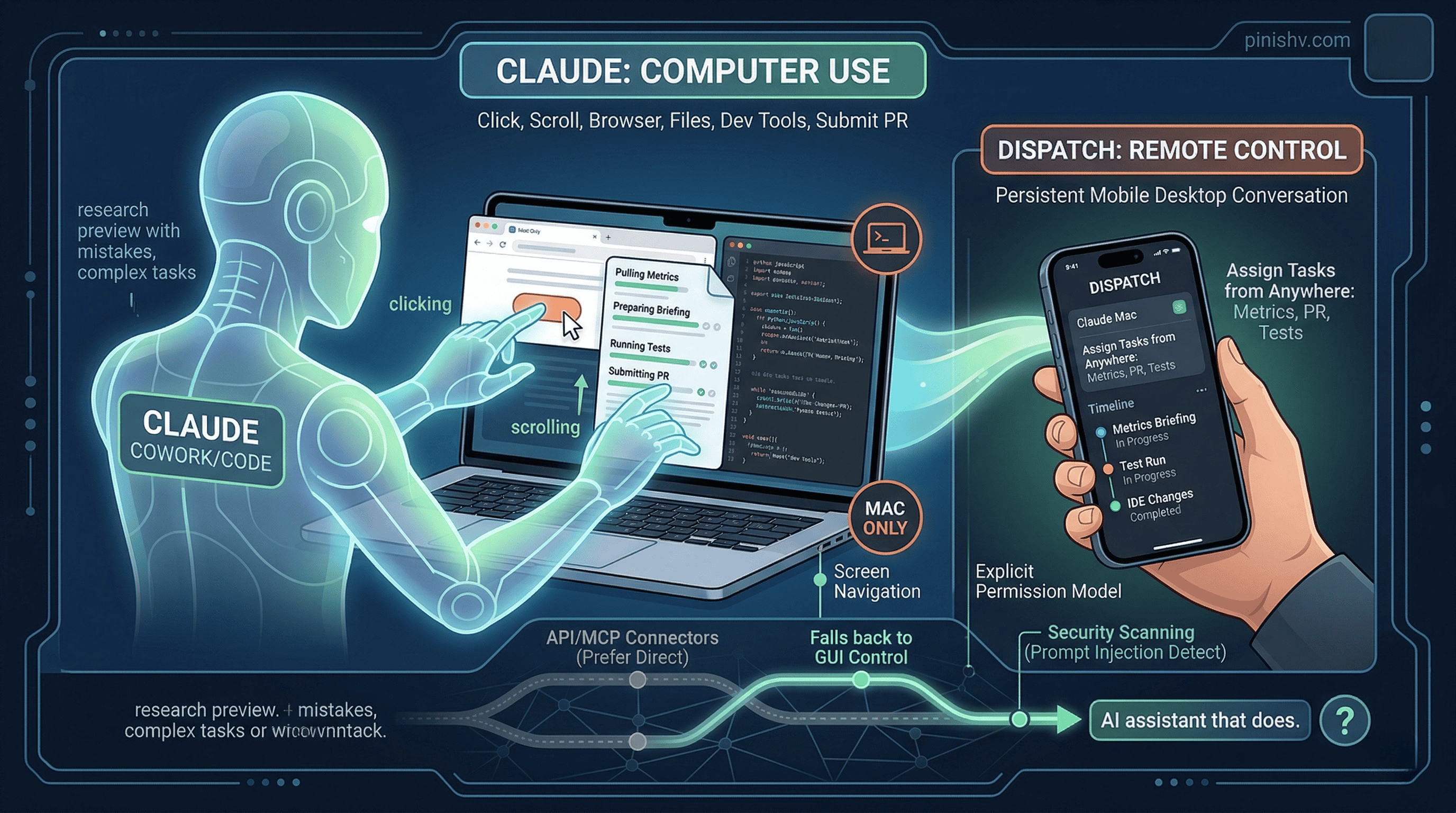
When Claude doesn’t have a direct integration for something you ask it to do, it falls back to controlling your computer like a human would. It uses the screen to navigate. It can click, scroll, open files, use the browser, and run dev tools. No setup required. It just looks at what’s on your screen and figures out how to get the task done.
This is the jump from “AI that talks about doing things” to “AI that does things.”
How it works#
Claude reaches for the most precise tool first. If you ask it to check your calendar, it uses the Google Calendar connector. If you ask it to send a Slack message, it uses the Slack integration. But when there’s no connector for what you need, Claude controls your mouse, keyboard, and browser directly.
The permission model is explicit. Claude asks before it touches a new application. You can stop it at any point. Some apps are off-limits by default. Anthropic built in safeguards against prompt injection, automatically scanning model activations during computer use to detect adversarial behavior.
Anthropic is upfront about the limitations. Computer use is early. Claude makes mistakes. Complex tasks sometimes need a second try. Screen-based operations are slower than direct API integrations. They’re releasing it as a research preview specifically to learn where it works and where it falls short.
Mac only for now. No Windows, no Linux.
Dispatch makes this actually useful#
Computer use by itself is interesting. Paired with Dispatch, it becomes practical.
Dispatch shipped last week. It creates a persistent conversation between the Claude mobile app and your desktop. You assign Claude a task from your phone, turn your attention to something else, then open the finished work on your computer.
With computer use, Dispatch becomes a remote control for your Mac. You’re on the train and tell Claude to pull this morning’s metrics and prepare a briefing. You’re in a meeting and tell Claude to make changes in your IDE, run tests, and put up a PR. You’re away from your desk and tell Claude to keep a long-running task moving.
The combination is the interesting part. Computer use gives Claude hands. Dispatch gives you the ability to direct those hands from anywhere.
For developers specifically#
Anthropic is positioning this heavily toward developers, and it makes sense. Claude can now make changes inside an IDE, submit pull requests, run tests, and navigate development tools autonomously. If you’re already using Claude Code, computer use extends what the agent can reach. Instead of being limited to the terminal and file system, it can interact with any GUI application.
That said, this overlaps with what Cursor Automations does differently. Cursor triggers agents from events (Git pushes, Slack messages, PagerDuty alerts) and runs them in cloud sandboxes. Claude’s computer use runs on your actual machine, which means it has access to everything you have access to. More capability, more risk.
The security implications are obvious. An AI agent with access to your screen, keyboard, and browser is a powerful tool and a significant attack surface. Prompt injection against a computer-controlling agent is a different threat than prompt injection against a chat model. Anthropic says they’re scanning for it, but they also say not to expose sensitive data during the preview.
The bigger picture#
Every major AI company is racing toward the same destination: AI that doesn’t just generate text but actually operates computers. OpenAI and Google are both working on similar capabilities. Anthropic got here first with a shipped product, even if it’s early.
I’ve been writing about AI agents moving from toys to tools for a while. Computer use is a clear step in that direction. The agent doesn’t need a purpose-built integration for every app. It can use the same interface you use. That dramatically expands what an agent can do without requiring every software vendor to build an API or MCP connector.
But it also means the agent inherits all the messiness of GUI-based interaction. Screens change. Buttons move. Modals pop up unexpectedly. The reliability of screen-based control will always be lower than API-based integration. Anthropic knows this, which is why Claude prefers connectors when they’re available and falls back to computer use only when needed.
The honest framing: this is a research preview. It will be unreliable for complex workflows. It will get better fast. And in six months, we’ll look back at this as the moment AI assistants stopped being confined to chat windows.
The question isn’t whether AI will control computers. It’s how fast the reliability curve catches up to the ambition.
Trying Claude’s computer use or Dispatch? I’d love to hear what tasks you’re assigning and how it handles them. Find me on X or Telegram.