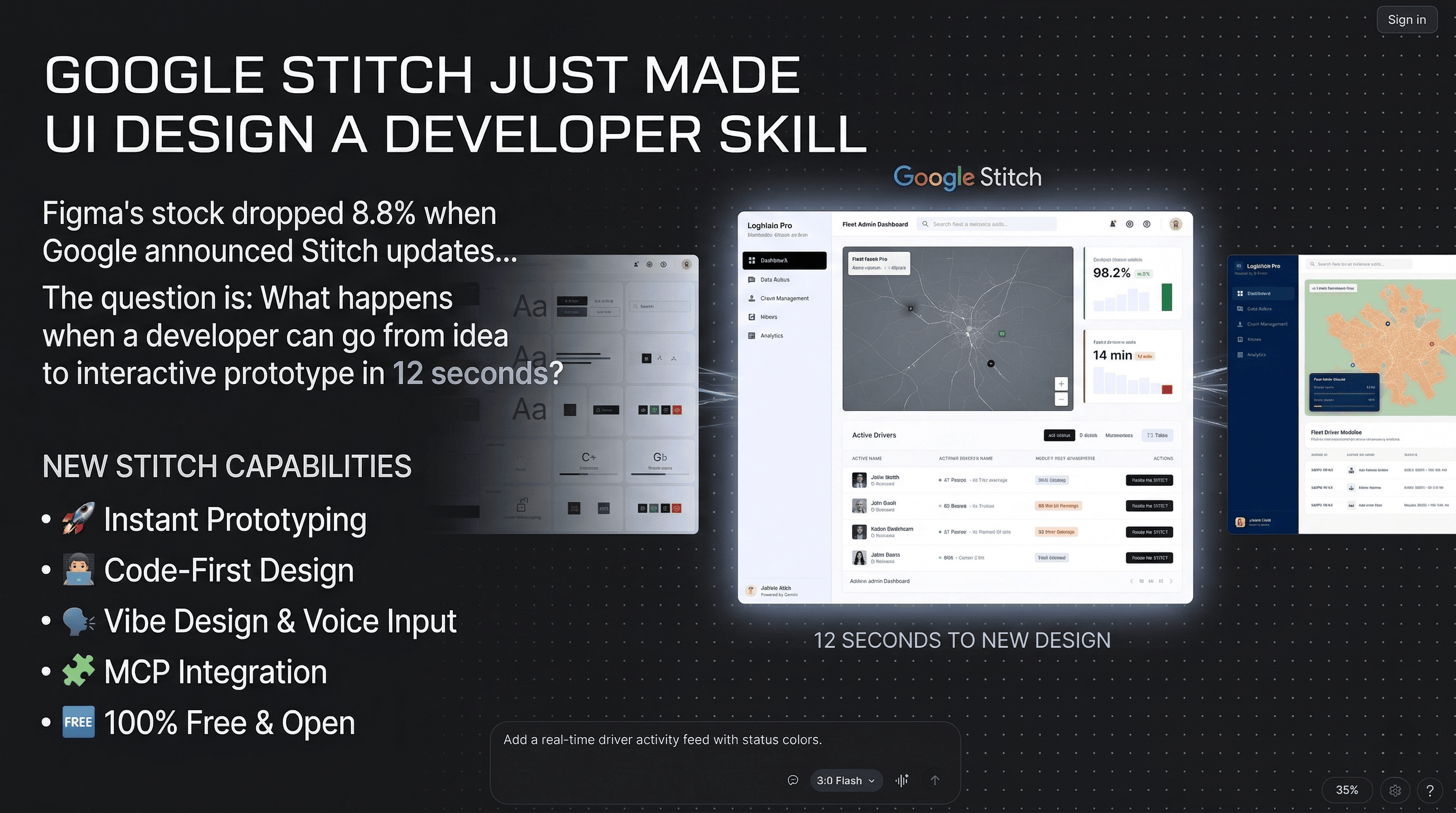

Here’s a number that should make every engineering leader pay attention: 12 seconds.
That’s how long Google Stitch takes to generate a settings page. Complete UI. Interactive prototype. Production-ready React and Tailwind code. Twelve seconds.
The same page takes about 45 minutes in Figma if you know what you’re doing.
When Google announced the March 2026 Stitch updates, Figma’s stock dropped 8.8%. The headlines said “Figma is dead.” Twitter was full of designers updating their LinkedIn profiles. The panic was loud and immediate.
But the panicking people are asking the wrong question. Stitch doesn’t replace designers. It does something more interesting. It makes UI design a developer skill.
What Stitch actually is#
Stitch is a free, browser-based tool from Google Labs that generates high-fidelity user interfaces from text prompts, voice descriptions, sketches, or uploaded images. It produces both visual designs and synced production code simultaneously. React with Tailwind CSS, HTML/CSS, or Flutter. It exports directly to Figma with proper Auto-Layout applied.
It’s powered by Gemini under the hood. The March 2026 update brought an infinite canvas, voice interaction, a design agent that reasons across your entire project, and something called “Vibe Design” where you describe the feeling you want instead of specifying components.
The GitHub repo has an open-source skills ecosystem for extending it. There’s MCP integration so your AI coding agents in Cursor, Claude Code, or Windsurf can call Stitch directly to generate UI without leaving the IDE.
And it’s completely free. No credits, no subscription. Just a Google account.
Here are some examples of what Stitch generates from simple text prompts. Dashboards, admin panels, e-commerce layouts, mobile feeds. All generated in seconds, all with production-ready React and Tailwind code behind them:


Scroll to see more. Each screen generated by Stitch from a text description.
These aren’t mockups I made in Figma. The code behind each screen is production-ready React with Tailwind CSS.
Why developers should care more than designers#
The design community is having the wrong conversation. They’re debating whether Stitch replaces Figma. It doesn’t. Figma is where serious design collaboration, brand refinement, and complex design system work happens. That’s not going anywhere.
The real shift is on the developer side.
Think about the typical flow in most engineering orgs. A product manager writes requirements. A designer creates mockups in Figma. Those mockups go through review cycles. Eventually they land in front of a developer who translates them into code. That translation process is where things get lost. The spacing is wrong. The colors are close but not exact. The responsive behavior wasn’t specified. The developer interprets, the designer reviews, and the cycle repeats.
Stitch compresses that entire pipeline into a conversation with an AI. A developer can describe what they need, get an interactive prototype in seconds, iterate by talking to the canvas, and export production-ready code. No design tool proficiency required. No translation layer. No interpretation gap.
For engineering teams, this changes three things:
Prototyping becomes instant. When you’re evaluating an approach, testing a user flow, or building an internal tool, you don’t need a designer in the loop for the first draft. You describe what you want, get something real, and iterate from there. The feedback loop goes from days to minutes.
Internal tools stop looking terrible. Every engineering org has internal dashboards and admin panels that look like they were designed in 2008. Nobody allocates design resources to internal tools. With Stitch, a developer can generate a clean, professional UI for an internal tool in the time it used to take to write the boilerplate HTML.
The design-to-code gap shrinks. When the same tool produces both the visual design and the code, there’s no translation error. The code matches the design because they’re the same artifact. That alone saves hours of back-and-forth on every feature.
How it fits into the AI app builder landscape#
Stitch is not the only tool in this space, and understanding where it sits matters.
Stitch is design-first. It generates polished UI and exports frontend code. It does not build backends, databases, authentication, or deploy anything. It’s the design and frontend layer only.
Lovable is app-first. It builds complete full-stack applications. Frontend, backend on Supabase, database, authentication, one-click deployment. If you want to go from idea to deployed MVP, Lovable does the whole thing. The UI won’t be as polished as Stitch, but you get a working app.
Bolt.new is code-first. A browser-based development environment from StackBlitz. It generates full projects with real-time preview and flexible framework choices. More control than Lovable, but you need developer skills for backend and deployment.
v0 (Vercel) is component-first. It generates clean React components that drop into existing codebases. Less about full-page design, more about generating specific UI components with good code quality.
Google AI Studio is prototype-first. It generates code and runs a preview you can share. More interactive than Stitch but less design-focused. It’s the middle ground between designing a UI and building a working app.
Firebase Studio is production-first. Full developer environment with terminal, dependencies, and deployment pipeline. The tool for when you’re past prototyping and building for real.
The pattern: Stitch handles the “zero to design” phase better than anything else. But it hands off before the “design to production” phase. For teams that already have a development pipeline, that handoff is natural. For solo builders who want everything in one tool, Lovable or Bolt are better fits.
The MCP integration is the sleeper feature#
Most coverage of Stitch focuses on the canvas, the voice interaction, and the Figma export. The feature that matters most for developers gets buried in the docs.
Stitch has an MCP server. That means your AI coding agent in Cursor, Claude Code, Windsurf, or any MCP-compatible IDE can call Stitch directly to generate UI components as part of a coding workflow.
Think about what that means. You’re building a feature in Cursor. Your agent needs a dashboard layout. Instead of switching to a browser, opening Stitch, generating the design, and copying the code back, the agent calls Stitch as a tool, gets the component, and drops it into your codebase. All without leaving the IDE.
There’s also a “Design DNA” feature that extracts design context (colors, typography, structure) from generated screens and feeds it to the agent. So subsequent screens maintain visual consistency automatically. And DESIGN.md exports your design system as a portable file that can be imported into other projects.
For anyone already running AI agents in their development workflow (and you know I am), this is where Stitch stops being a design tool and starts being infrastructure.
Will it replace UI/UX designers?#
No. But it will change what they spend their time on.
Stitch eliminates the blank canvas problem. The first draft, the initial layout, the “let me explore three different approaches” phase. That used to take hours or days. Now it takes seconds.
What Stitch can’t do is brand identity. Design systems that feel cohesive across an entire product. The subtle decisions about hierarchy, rhythm, and emotional response that make the difference between a functional interface and one that people love using. The output quality is good, sometimes surprisingly good, but it lacks the refined aesthetic that an experienced designer brings to high-end work.
The honest assessment: Stitch handles 0-to-1 better than any tool I’ve seen. But 1-to-100, the refinement that turns a prototype into a polished product, still needs a human designer. Probably in Figma.
The real shift for design teams is that the bar for “good enough” just moved dramatically. Internal tools, admin panels, MVPs, quick prototypes, landing pages. All of these used to need designer time. Now they don’t. That frees designers to focus on the work that actually needs their taste and judgment.
For managers, the question isn’t “should we fire our designers?” It’s “what should our designers stop doing so they can focus on what only they can do?”
The limitations nobody’s hyping#
85% accuracy in standard mode. That means roughly 1 in 6 components won’t be quite right. The experimental mode hits 95% but takes 45 seconds instead of 12. For prototyping that’s fine. For production you’re editing either way.
No backend. Stitch generates beautiful frontends that don’t do anything. No API calls, no state management beyond the UI, no data persistence. You need a developer to wire it up.
Free comes with a question mark. It’s a Google Labs product. Google has a history of killing Labs experiments. If you build workflows around Stitch, you’re betting Google keeps investing in it. The free pricing is great today, but there’s no guarantee about tomorrow.
The “vibe design” concept has limits. Describing a feeling works for simple pages. For complex enterprise UIs with dozens of states, error handling, and edge cases, you still need to be specific. The AI can’t infer your business logic from a vibe.
What this means for engineering orgs#
Every few years, a tool shifts the boundary between what developers can do without specialist help and what requires a dedicated team.
GitHub Copilot shifted the boundary on code generation. Terraform shifted it on infrastructure. CI/CD platforms shifted it on deployment. Each time, the specialists didn’t disappear. They moved up the stack to harder problems.
Stitch is shifting the boundary on UI design. Developers can now produce professional-quality interfaces without design training. That doesn’t eliminate designers. It eliminates the bottleneck where developers wait for design input on work that didn’t need a designer’s taste in the first place.
For engineering leaders, the practical implications are:
Evaluate Stitch for internal tooling. If your team builds admin panels, dashboards, or internal tools, Stitch can compress the UI phase from days to hours. The ROI is immediate.
Integrate through MCP. If you’re already running AI agents in your development workflow, add Stitch as a tool. Let your agents generate UI components as part of the coding flow. The context switching savings alone are worth it.
Rethink the designer-to-developer ratio. If developers can handle the first 80% of UI work, your designers can focus on the 20% that actually needs their expertise. That’s a better use of everyone’s time.
Don’t bet everything on it. It’s a Google Labs product. It’s free. It’s excellent. And it could get shut down, pivoted, or monetized at any point. Use it as a tool in your toolkit, not the foundation of your process.
The wall between design and code has been getting thinner for years. Stitch didn’t remove it. But it put a very large door in it. And for engineering teams, that door is wide open.
Using Stitch in your development workflow? Integrating it with AI coding agents? I’d love to hear how you’re using it. Find me on X or Telegram.